VisionsLive Bulletin Boards has had a complete revamp
We’ve given VisionsLive Bulletin Boards a complete refresh, with a redesigned interface that makes setting up and managing projects simpler, clearer and more intuitive.
The update focuses on improving the experience for admins and moderators, with cleaner layouts, more consistent controls and a new approach to navigation that makes it easier to find what you need.
A more modern Boards experience
Some of the original Bulletin Boards setup screens were designed many years ago, when software interfaces and user expectations looked very different.
Today, users expect platforms to feel intuitive from the moment they open them. With that in mind, we’ve redesigned the Boards administration experience to make better use of modern screen sizes, improve readability and reduce unnecessary clutter.
Most importantly, we’ve rethought how users move between projects, boards and their settings.
Simpler project management
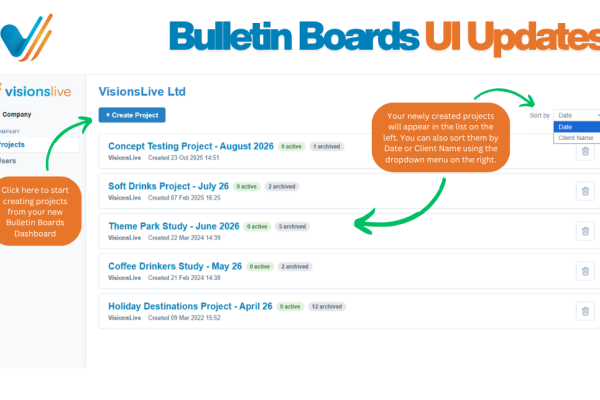
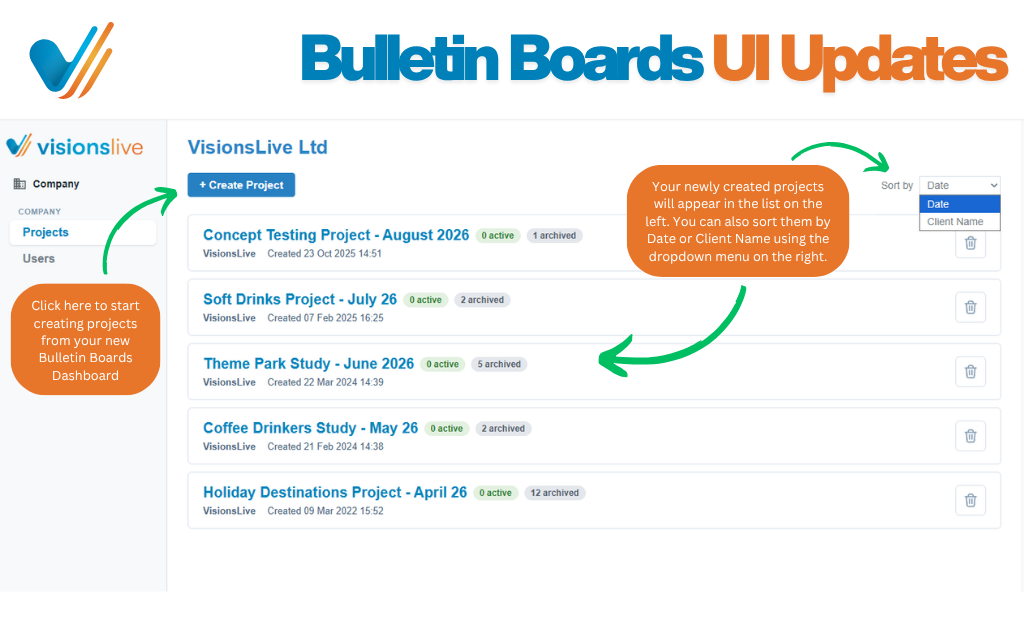
The project list has been redesigned around a much clearer structure.
Rather than combining project selection with a range of administrative options, the new view keeps things simple: create a project, open an existing one or remove one you no longer need.
Once inside a project, all project-level settings and tools are organised together, making the overall workflow much easier to follow.
A cleaner way to manage Boards
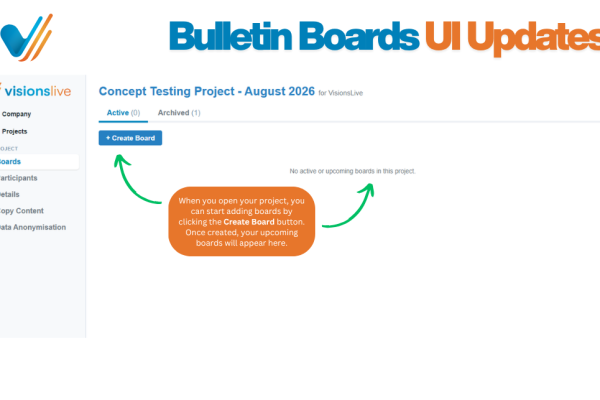
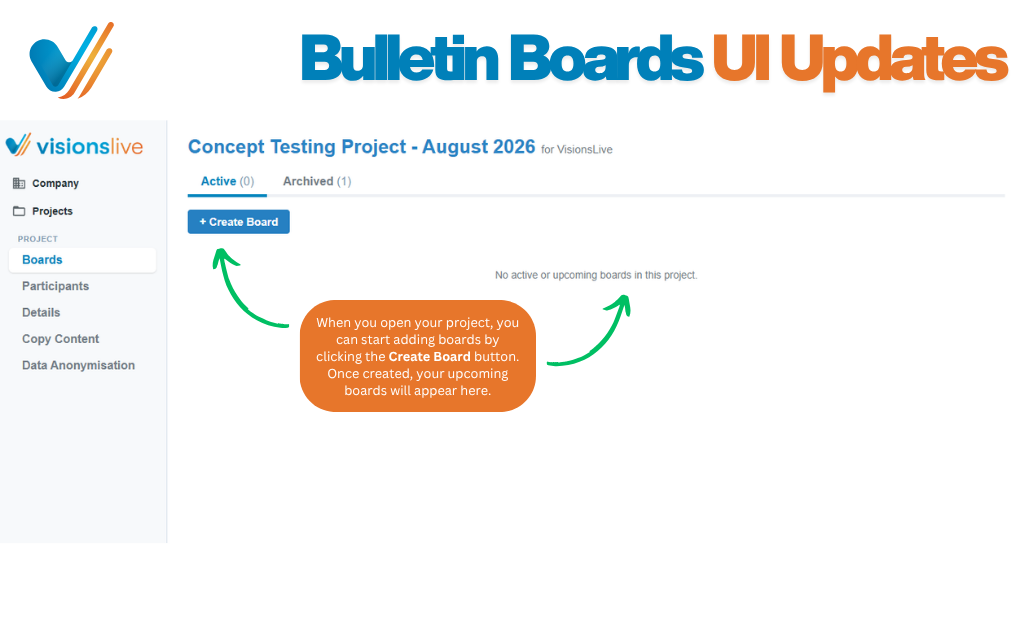
The redesigned Boards view gives admins and moderators a straightforward overview of all active and archived boards within a project.
Key information is available at a glance, while more detailed controls are now housed within each individual board rather than being displayed all at once.
This reduces clutter and makes it much clearer where to go when you want to manage a particular part of a board.
New navigation
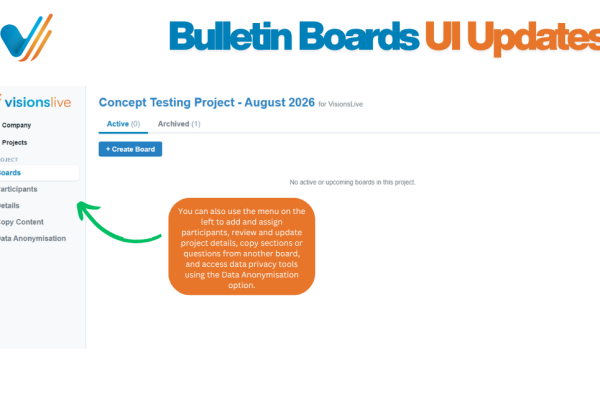
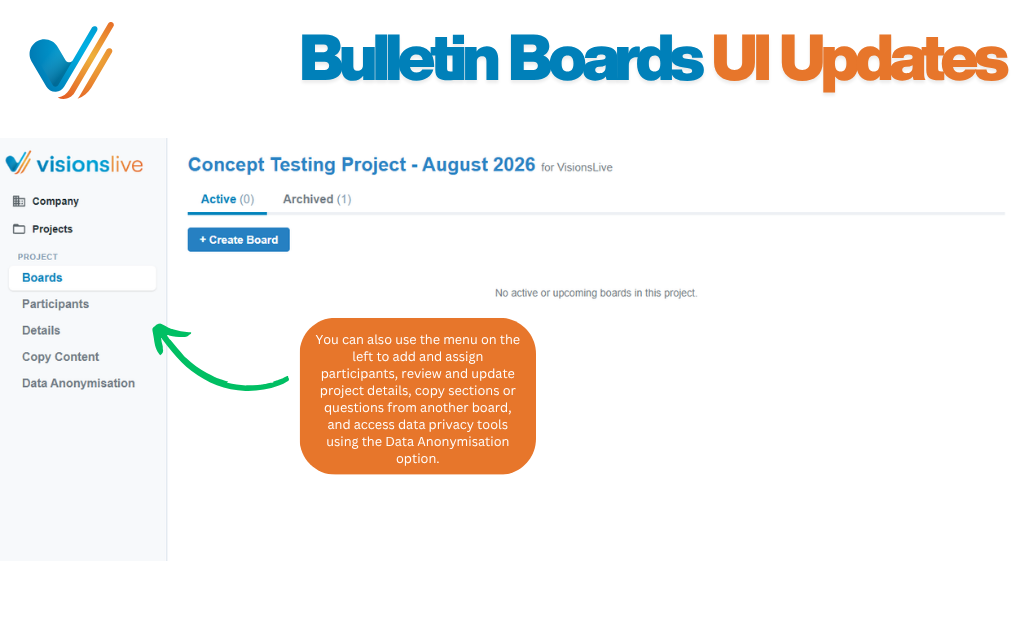
One of the biggest changes is the introduction of new left-hand navigation.
From here, users can quickly move between key areas including:
- Board and project details
- Participants
- Content
- Discussions
- Reporting
- Analytics
By bringing these areas into a consistent navigation structure, it’s much easier to understand where everything lives and move around the platform.
Streamlined participant management
Participant management has also been refreshed.
Moderator assignment, respondents and observers are now brought together into a cleaner, more consistent experience, while retaining the functionality existing users already know.
Small improvements that make a difference
Alongside the larger redesign, we’ve introduced a number of smaller usability improvements throughout the platform.
For example, project and client names can now be edited directly within the project, giving admins more control without needing to work around the old interface.
The same powerful functionality, made easier to use
The features researchers rely on in Bulletin Boards are still there. The difference is that they are now easier to find, easier to navigate and presented in a much more modern interface.
This redesign is part of our ongoing work to improve the VisionsLive platform and make online qualitative research as straightforward as possible.
Want to see the new Bulletin Boards experience for yourself?
Get in touch to book a demo.